Home
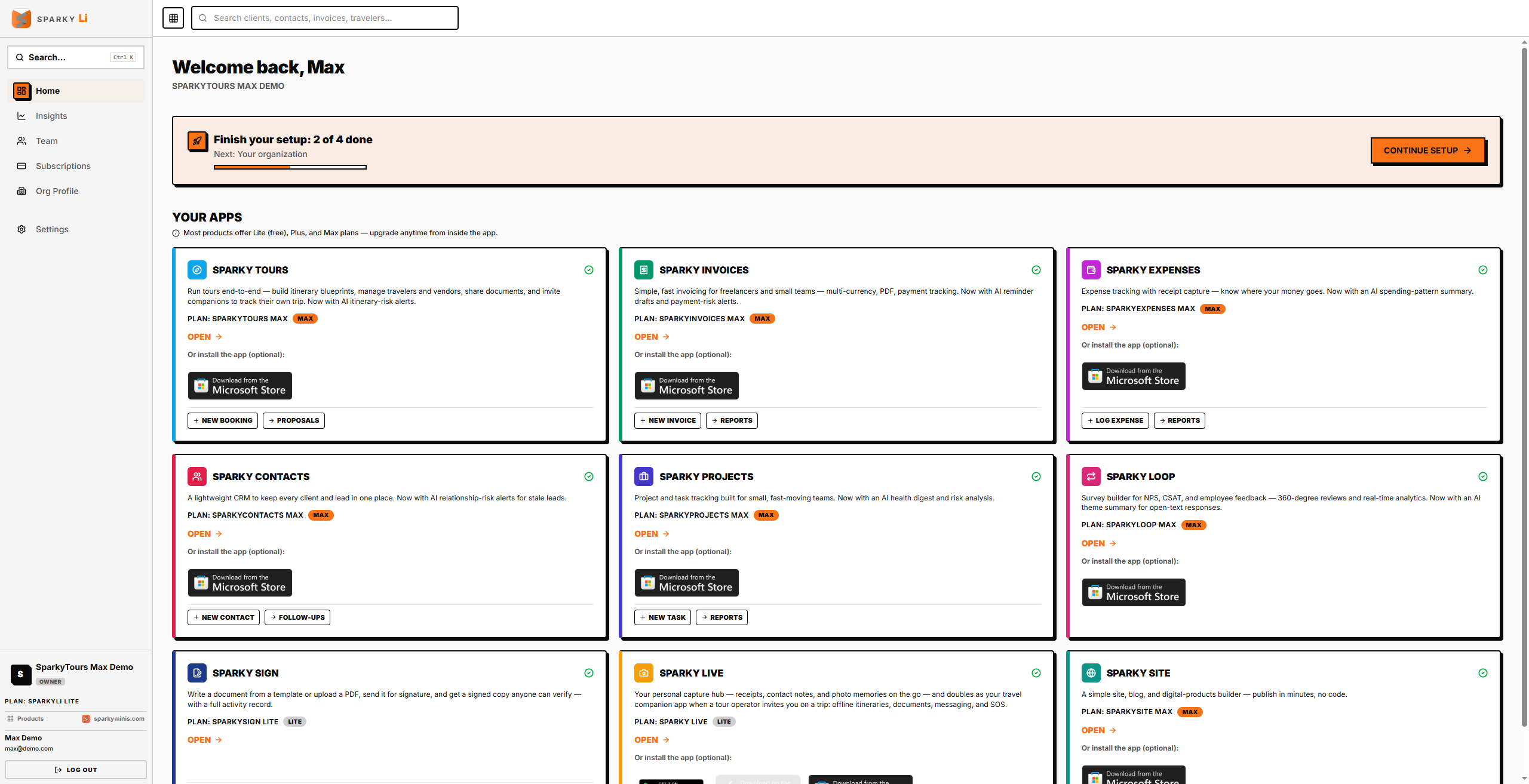
Your starting point across every Sparky product your organization uses — one dashboard, one sign-in, no need to visit each product separately just to see what you have.
How to see what you have
Home lists every Sparky product as a card: whether your organization already uses it and on which plan, or whether it's still free to try. Each card opens straight into that product.
How to jump into a product fast
Open a card to go straight to that product's sign-in (which then takes you into the product itself). A product you already use also shows a couple of shortcuts under its card — such as "New Invoice" or "New Task" — that take you straight to that specific screen instead of the product's own front page.
Finishing setup
If there's anything left to finish setting up, a banner shows your progress and a "Continue Setup" button to pick up where you left off.